
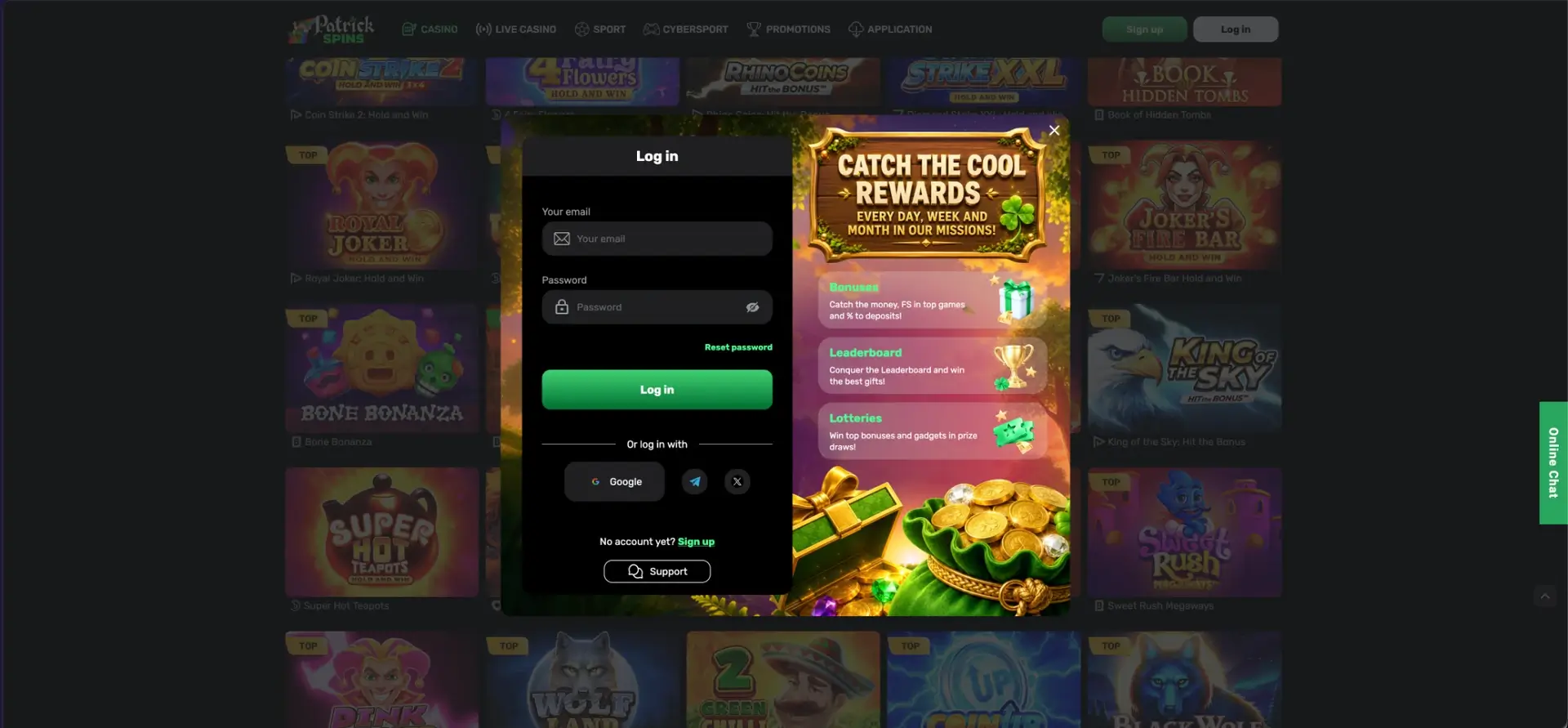
Patrick Spins login takes a few seconds: click Log in in the top-right corner, enter the email and password used at registration, or sign in with one click through Google, Telegram or X. A forgotten password is restored through the Reset password link in the same window, and the Support button under the form opens live chat if access still fails. The same account works on desktop, in a mobile browser and in the Android app, with one balance for casino, live casino, sport and esports.
Signing in opens the Cashbox, active bonuses, missions progress, the leaderboard position, lottery tickets and the Verification section. Withdrawals at Patrick Spins also depend on account details being confirmed, so the login page is the starting point for preparing the profile as well as for playing.
| Login essentials | Details |
|---|---|
| Where to log in | Log in button, top-right corner of every page |
| Login methods | Email and password, Google, Telegram, X |
| Password reset | Reset password link inside the login window |
| Show password | Eye icon in the password field |
| Devices | Desktop browser, mobile browser, Android app |
| Connection security | SSL encryption |
| Profile checks for withdrawals | Confirmed phone and email, uploaded documents |
| Currency | GBP |
| Help | Support button in the login window, Online Chat tab on every page |
How to log in to Patrick Spins
The login window opens as a pop-up over the current page, so there is no need to go back to the homepage first. The left side holds the form, and the right side lists the active promotion blocks: Bonuses, Leaderboard and Lotteries.
Login with email and password
This is the standard route for accounts created through the email form.
- Open the Patrick Spins site in a browser or the app.
- Click Log in in the top-right corner, next to Sign up.
- Enter the registration email in the Your email field.
- Type the password. The eye icon reveals the characters to check for typos.
- Press the green Log in button.
Login with Google, Telegram or X
Under the form there is a line "Or log in with" and three buttons. Accounts created through social registration should always use the same button, because such accounts may not have a separate password.
- Click Log in in the header.
- Choose Google, the Telegram icon or the X icon.
- Confirm access in the window of the chosen service.
- The page returns to Patrick Spins already signed in.
If an account was opened through Google and later someone tries to sign in with the same email and a password, the form will not recognise it. Choosing the original method solves this.
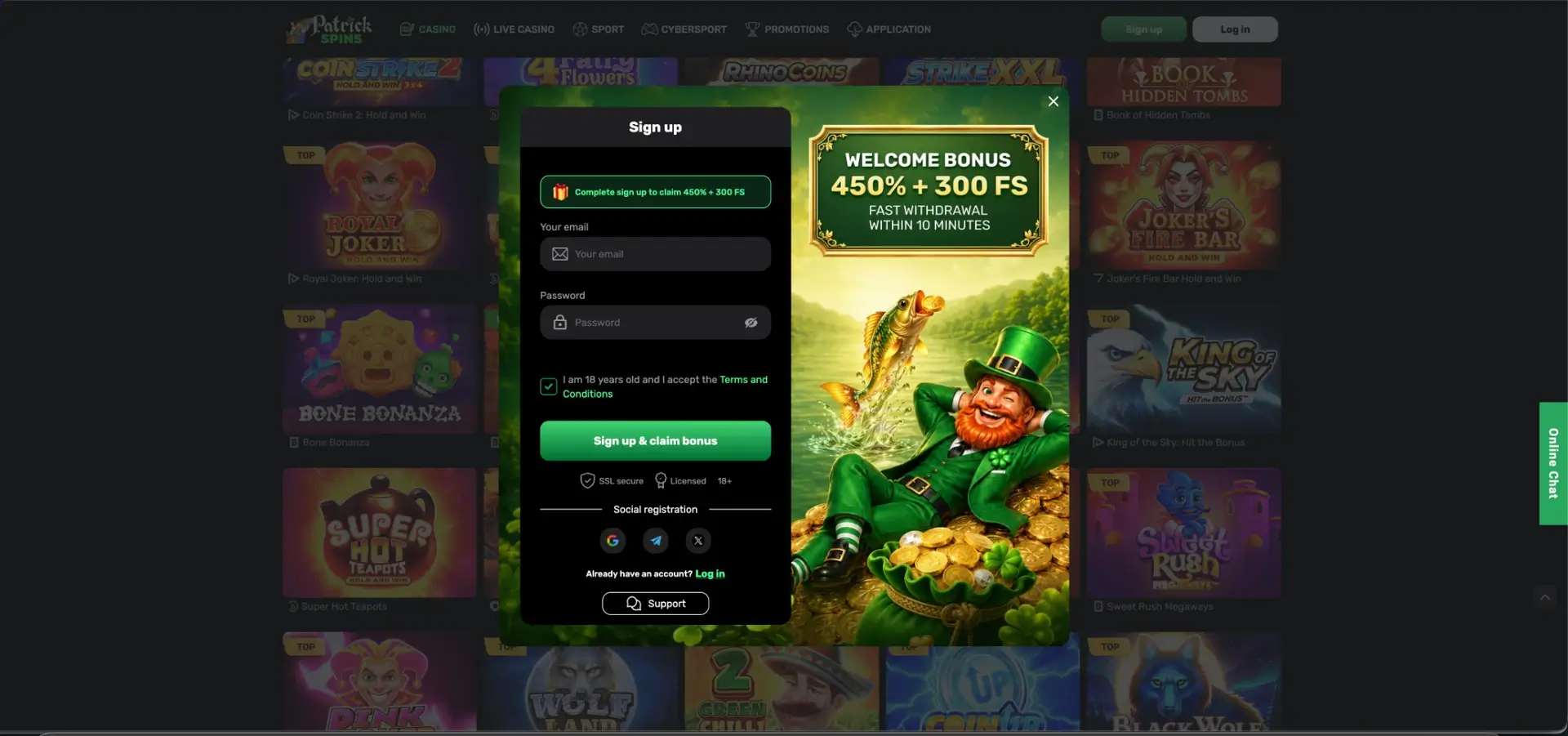
No account yet? Creating one from the login window
The login form has a No account yet? Sign up link at the bottom that switches to the registration form. Registration also works through email or social networks.
Quick registration flow
The sign-up form shows the welcome package at the top: "Complete sign up to claim 450% + 300 FS". The process takes under a minute.
- Enter an email address and create a password.
- Tick the box confirming age 18+ and acceptance of the Terms and Conditions.
- Press Sign up & claim bonus, or choose Google, Telegram or X.
- Open the Promotions page and activate the first welcome stage before making a deposit.
Secure login practices
The site uses SSL encryption, which protects data on the way between the device and the server. The rest of account security depends on a few habits:
- Use a password that is not repeated on other sites, ideally from a password manager.
- Secure the Google, Telegram or X account used for social login with two-step verification on that service.
- Check that the address bar shows a padlock before entering details.
- Log out on shared or public computers instead of closing the tab.
- Never send the password to anyone, including people claiming to be support staff. The chat team does not need it.
- Reach the site through bookmarks or the link in the registration email rather than through unknown search results.
Password recovery
The Reset password link sits right under the password field. Recovery works for accounts registered with an email. For social accounts, the password is managed by Google, Telegram or X, and the reset has to be done there.
Reset steps
The process sends a recovery link to the registration email.
- Click Log in, then Reset password.
- Enter the email used at registration.
- Open the message from Patrick Spins and follow the link.
- Create a new password and confirm it.
- Return to the login window and sign in with the new password.
If the message does not arrive within a few minutes, the spam and promotions folders are the first places to check. After that, the Support button in the login window opens the chat.
Mobile login
On a phone, the login window looks the same as on desktop, with the form stacked in one column. In the Android app the session is remembered, so after the first sign-in the app opens straight into the account.
Tips for mobile
A few settings make mobile sign-in smoother.
- Let the browser or phone save the password, so it fills in automatically.
- Use Google login on Android to skip typing altogether.
- On iPhone, add the site to the home screen through Safari's Share menu for one-tap access.
- If the app was reinstalled, sign in with the same method used originally.
Troubleshooting common Patrick Spins login errors
Most login problems come down to a small number of causes. The checks below solve the majority of them without contacting support.
Incorrect email or password
The password field is case-sensitive. Check Caps Lock, use the eye icon to see what was typed, and make sure there is no space at the end of the email. If the account was opened through Google, Telegram or X, use that button instead of the email form.
Browser or cache issues
If the form does not respond or the page reloads without signing in, the browser is usually the cause.
- Clear cookies and cache for the site, then reload.
- Disable ad blockers and script blockers for the site.
- Try another browser or a private window.
- Update the browser to the latest version.
Social login does not complete
If the Google, Telegram or X window closes without signing in, pop-ups may be blocked. Allow pop-ups for the site and check that the browser is signed into the right social account. On a phone, the Telegram app must be installed and logged in for Telegram authorisation to work.
The site does not open at all
Some internet providers restrict access to gambling sites licensed outside Great Britain. In that case, the current working address can be confirmed through the registration email or a message to support.
Account blocked or restricted
Accounts can be restricted after repeated wrong passwords, a duplicate account, or a self-exclusion request. The login window's Support button opens the chat, where the team can explain the reason and the next step.
What is available after login
Once signed in, the header shows the balance and the account menu. The main areas are:
- Cashbox - deposits and withdrawals in pounds or crypto.
- Bonuses - activating the welcome stages and the sports bonus before depositing.
- Missions - daily, weekly and monthly tasks with rewards.
- Leaderboard - personal place, score and prize.
- Lotteries - status and number of tickets in the daily and weekly draws.
- Mystery Jackpot - checking if the daily prize has been won and claiming it.
- Profile - email, phone and personal details.
- Verification - uploading documents.
- My Bets - sport and esports bet history in the sportsbook.
Account verification after login
Verification is not required to play, but it is required to withdraw. The FAQ lists two account conditions for a cash-out: a confirmed phone number and email, and all documents uploaded and confirmed. Completing both right after the first login removes the most common reason for delayed withdrawals.
Documents usually requested by casinos include a photo ID (passport or driving licence), a proof of address dated within the last three months, and proof of the payment method. Clear photos in good light with all four corners visible pass checks faster than cropped scans. The exact list is in the Verification tab of the FAQ.
Patrick Spins login FAQ
Short answers to the most frequent questions about signing in.
How do I log in to Patrick Spins?
Click Log in in the top-right corner and enter your email and password, or use the Google, Telegram or X button under the form.
I forgot my Patrick Spins password. What should I do?
Press Reset password in the login window, enter the registration email and follow the link in the message. Social accounts reset the password on the social network itself.
Can I use the same login on mobile and desktop?
Yes. One account works in any browser and in the Android app, with the same balance and bonuses.
Why does my Google login not work?
Pop-ups may be blocked, or the browser may be signed into a different Google account. Allow pop-ups and select the account used at registration.
Do I need to verify my account after logging in?
Not to play. To withdraw, the phone and email have to be confirmed and documents uploaded in the Verification section.
Who do I contact if I still cannot log in?
Use the Support button inside the login window or the Online Chat tab on the right edge of the page. Both work without being signed in.